About 500+ Flower Patterns
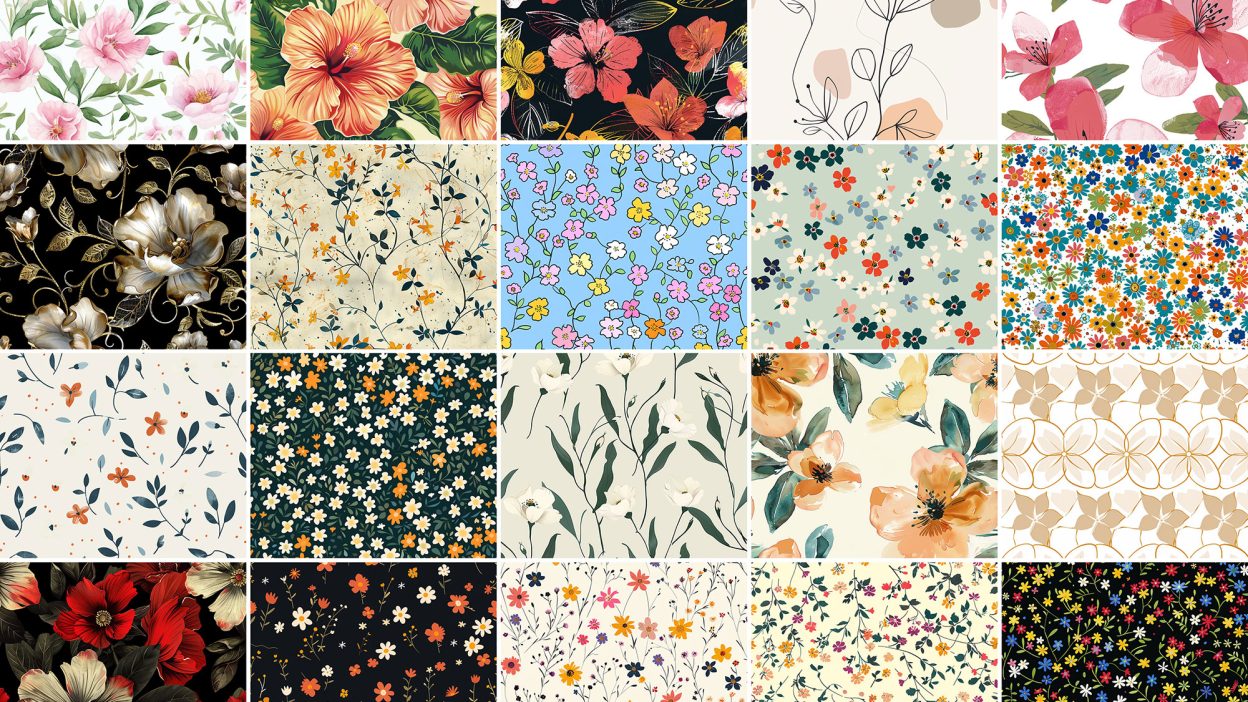
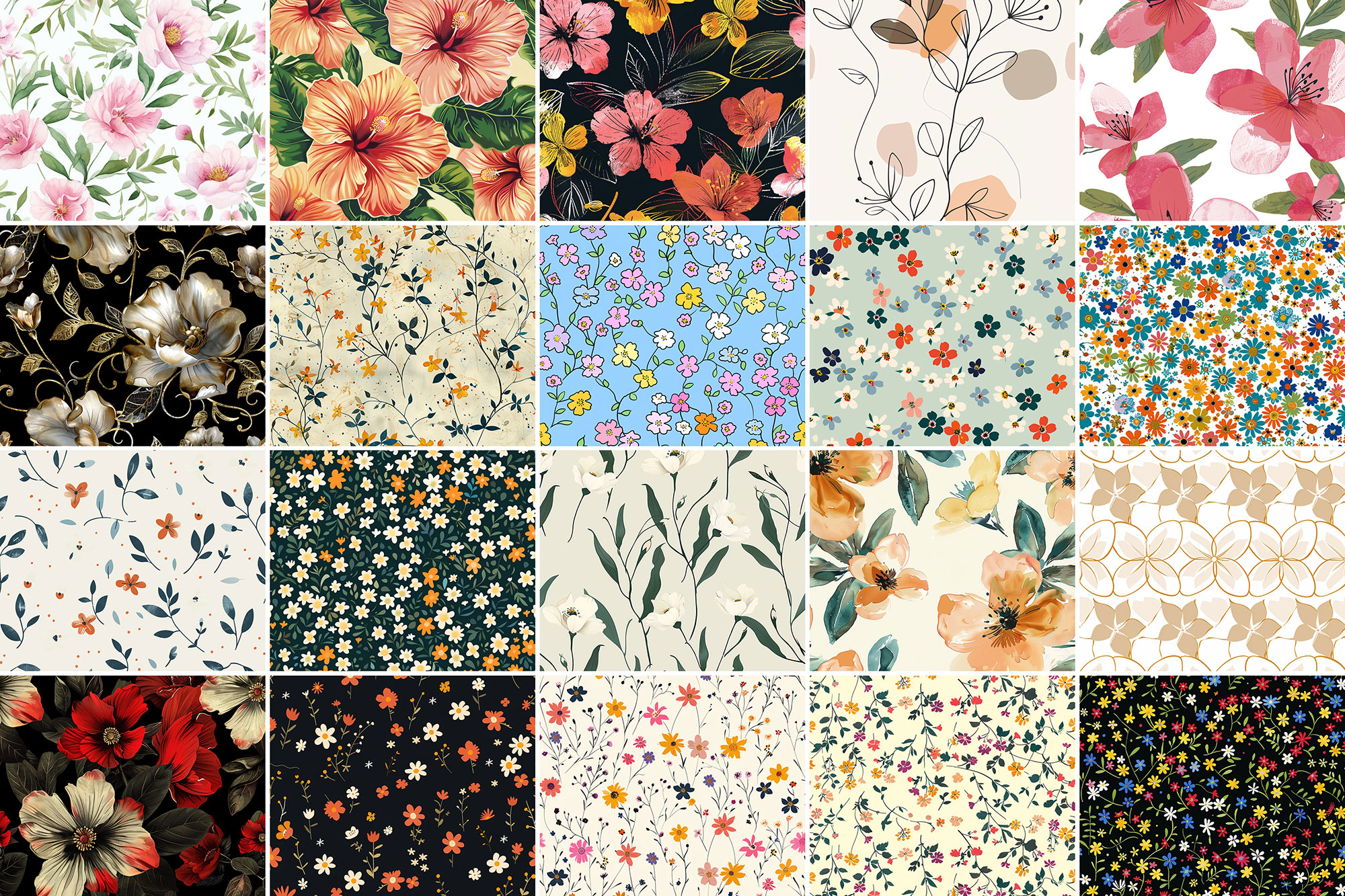
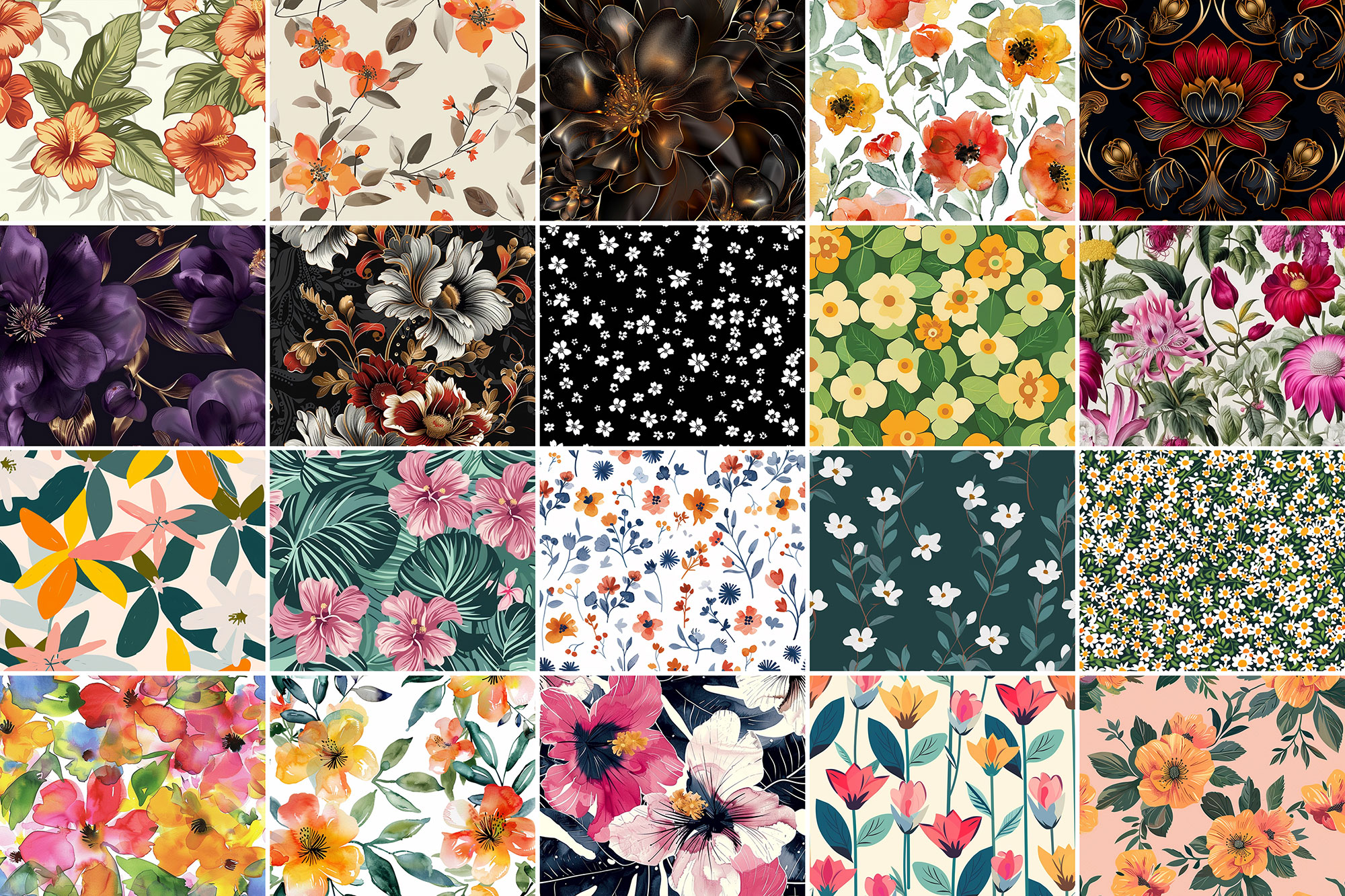
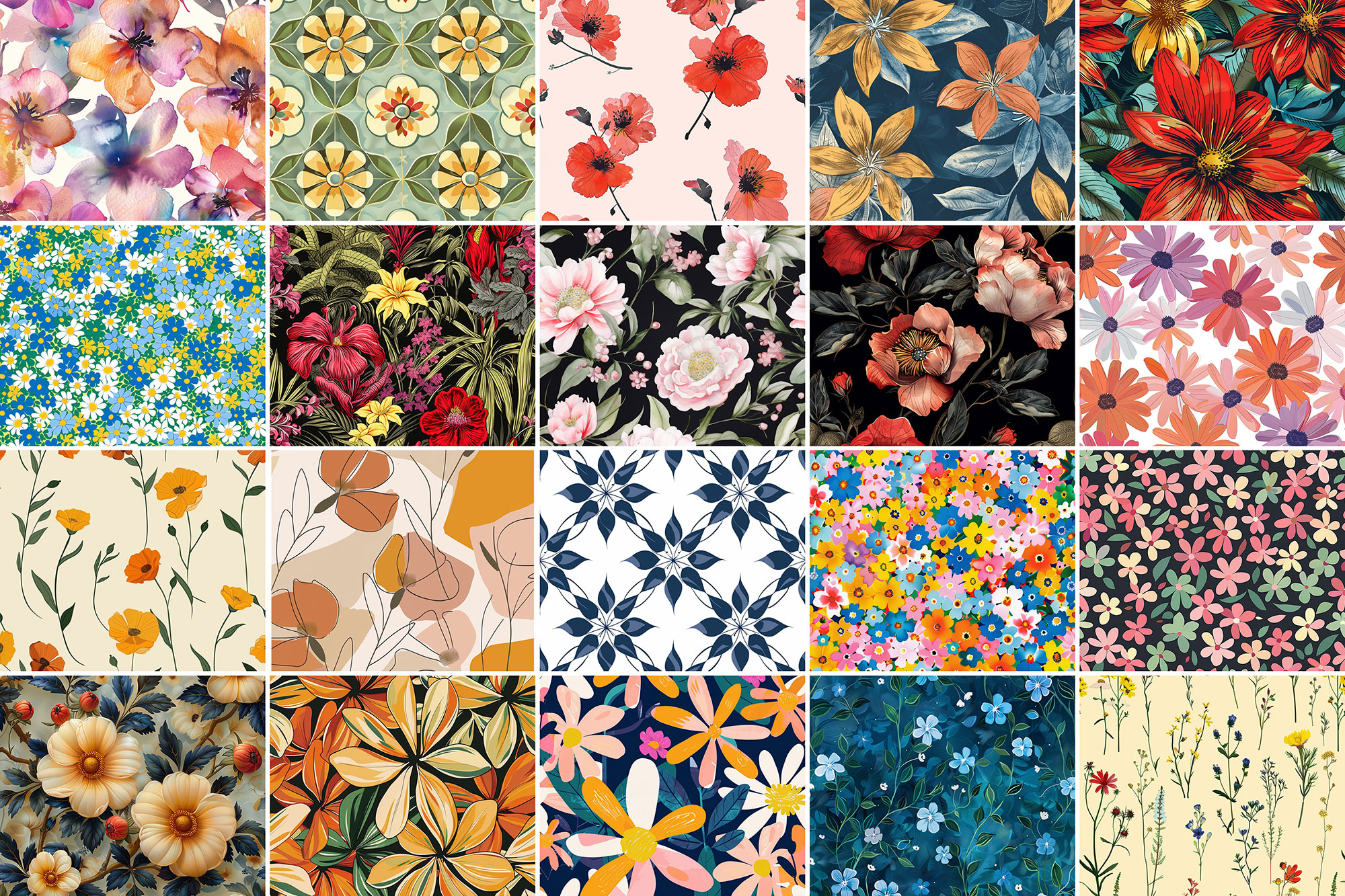
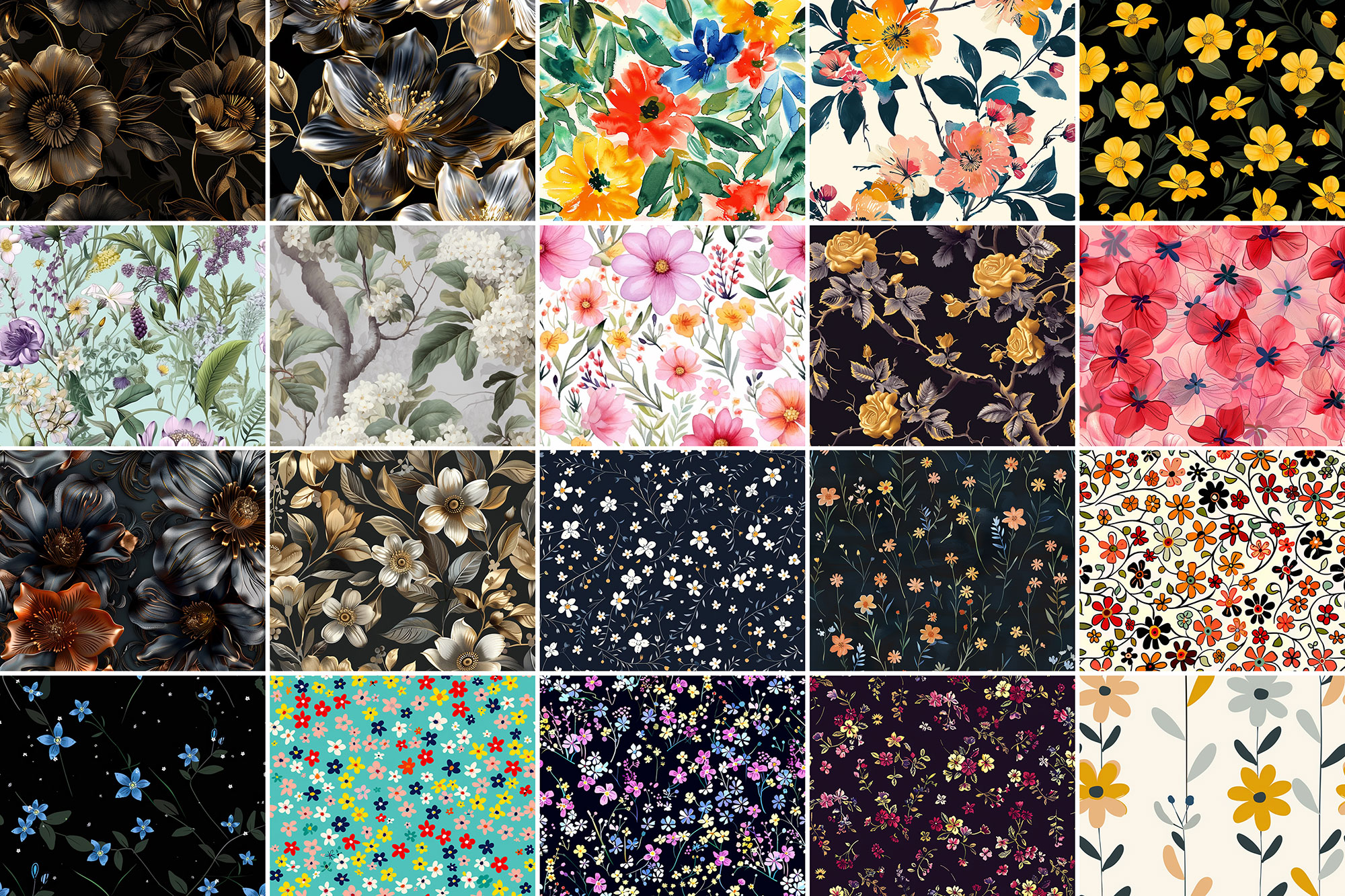
Sometimes you just need something that looks good instantly. 500+ Flower Patterns is built for that. It’s made for Adobe Photoshop, and the previews show what you can expect.
Flower patterns are one of those graphic design tools that you can never have enough of. No matter how many of them you have seen, the ones you’re about to download from Resource Boy are going to top them all. We’re not just giving you the chance to enjoy a more professional design experience with the number-one collection of seamless floral patterns in high resolution. We’re also here to offer you a bonus free commercial license that allows you to apply them in any business project without even paying a single dollar. How incredible is that? Our patterns are designed in green, blue, and every pastel color you want. So you should be able to find the exact match you’re looking for. You’ll find some of these roses and other flowers similar to our free watercolor patterns in style, letting you create an artistic illustration hands down. To further elevate your designs make sure to pair these stunning patterns with our elegant floral fonts. They can also mimic the same sweet feel of our free spring patterns to add to the emotional effect of your artwork. All these can happen in just a few simple clicks. So you don’t even need to be an expert designer to find them useful in your daily practice. These highly versatile patterns allow you to design colorful pieces of fabric, elegant borders for your artwork, and cute wallpapers for your room or digital devices. Lucky for you, RB is full of other aesthetic graphic design tools like these free gold textures / backgrounds that are way more advanced than anything you’ve ever worked with. They’re bound to help you design something that’ll be the envy of your competition. When the ingredients of a design are so modern, how can the output be anything except easy on the eyes?
Quick details: License: Personal & Commercial use. Designer: Resource Boy. Popularity: 8,469 downloads.
What you can do with it
You can keep it subtle or push it loud—either way, it stays usable. Use it for album covers, YouTube thumbnails, posters, or any layout where you want a cleaner visual hook.
How to use it in Adobe Photoshop
Download, unzip, load the asset, then tweak until it fits your design.
- Download the ZIP file using the button below.
- Unzip the archive to a clean folder.
- Open Adobe Photoshop and load the included files (brushes via the Brushes panel; textures via Place/Embed; mockups/effects by editing Smart Objects).
- Apply it to your text or layer, then adjust size and position.
- Fine-tune opacity, blending mode, and color until the result feels balanced.
Practical tips
- Duplicate your layer before applying anything.
- Lower opacity first, then adjust contrast.
- Test it on both light and dark backgrounds.
- Try a different blending mode before you give up on the look.
- Use Smart Objects when possible for clean scaling.
If something looks “too much,” small changes usually fix it. Opacity, blending mode, and a soft mask solve most issues.
Preview images
These previews are included with the original post so you can judge edges, texture strength, and readability.
FAQ
Can I use it in client work?
The listed license is Personal & Commercial use. For important jobs, read the license text inside the download.
Will it work on older versions?
Most assets like this work fine on recent versions of Adobe Photoshop. If you’re on an older build, test it in a duplicate file first.
Download 500+ Flower Patterns
Use the download button below. If your download is large, give it a minute to complete before extracting.