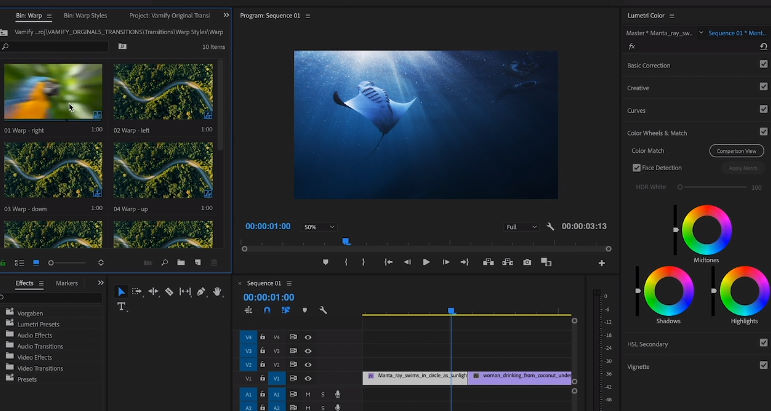
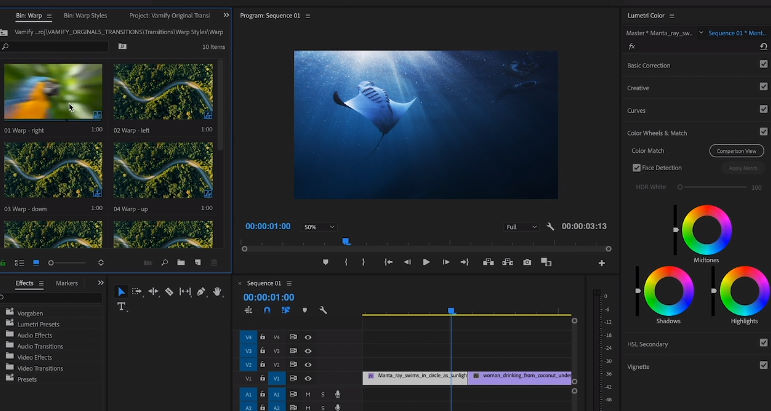
Let’s be honest: a weak transition can expose your edit faster than a bad cut. One second your footage feels “pro”, the next it screams template. That’s why a solid transition library matters. This pack — 500 Seamless Video Transitions — gives you a big collection of smooth, modern Premiere Pro transitions you can drop into projects when you need speed and polish.
Why do people still download packs like this even with so many new plugins around? Because they’re quick. Open, apply, tweak timing, done. No complicated setup. No “what version is this compatible with?” drama (as long as you’re on a supported Premiere build). And if you edit Reels, YouTube, ads, or client promos, having variety on standby is a lifesaver.
 Pack name Pack name |
500 Seamless Video Transitions |
 Type Type |
Video transitions for Adobe Premiere Pro |
 Compatible with Compatible with |
Windows / Premiere Pro |
 Required Premiere version Required Premiere version |
CC 2018 (12.1.2) or newer |
 Transitions count Transitions count |
500+ transitions |
 Category Category |
Premiere Pro / Video Editing / Transitions |
What is this pack (and what makes it “seamless”)?
“Seamless” here means the transition feels natural between shots. You’ll find different styles: swish moves, slides, zooms, subtle glitches, and smoother cinematic wipes. Instead of repeating the same basic transition on every cut, you can match the transition style to the rhythm of your video — fast for action, softer for lifestyle and product shots.
Also, these transitions are designed for practical use. That means you can test them quickly on two clips, adjust duration, and keep editing. No long learning curve. No overthinking. Just tools that help you finish.
Key features you’ll actually care about
1) Variety without chaos
A big library is only useful if you can work with it. This pack gives you lots of options, but the styles are familiar enough that you won’t get lost. Pick a “family” of transitions (swish, zoom, clean slide) and stick with it for consistency. Your edit will look more intentional — not like a random demo reel.
2) Fast workflow (drag, drop, tweak)
Most transitions are simple to apply. The real secret is timing: keep it tight for short-form content, or let it breathe for cinematic cuts. If a transition feels too aggressive, shorten it. If it feels slow, speed it up. Small changes make a huge difference.
3) Great for Reels, YouTube, and ads
Modern content needs momentum. These transitions work nicely for vertical videos, YouTube intros, product promos, and quick social edits. Use them as seasoning, not the whole meal — one or two strong transitions can do more than ten flashy ones.

Requirements (practical)
This isn’t a heavy game, but smooth previews and exports depend on your Premiere version and your hardware — especially if you edit 4K.
Minimum
- 💻 OS: Windows 10 (64-bit)
- 🎬 Software: Premiere Pro CC 2018 (12.1.2) or newer
- 🧠 RAM: 8 GB (16 GB recommended for smoother 1080p work)
- 💽 Storage: Enough space for extraction + project files
Recommended
- 💻 OS: Windows 10/11 (64-bit)
- 🎬 Software: Premiere Pro 2020+ (better stability)
- 🧠 RAM: 16 GB or more
- ⚡ Tip: Use an SSD for faster caching and previews
How to install and use (step-by-step)
Here’s the simple way to get it working. Follow the steps in order — it saves time later.
1) Download and extract
After you download the archive, extract it to a new folder (for example: Transitions-Pack). Use WinRAR or 7-Zip. If extraction fails, the most common cause is an incomplete download — re-download from another mirror and try again.
2) Import into Premiere Pro
Open Premiere Pro and your project. Then import the included files (presets / project assets, depending on the package format). Drop a transition between two clips on the timeline, play it back, and fine-tune the duration. Keep it simple: transitions should support the story, not steal the spotlight.
3) Adjust speed and timing
Timing is everything. Start with a short duration (think 8–16 frames for quick edits) and adjust based on your content. If you see stutters, render previews or use proxies. Your future self will thank you.
Download 500 Seamless Video Transitions
Use the mirrors below. If one link is slow or stops, switch to another and continue. Download all parts (if any) before extracting.
Usersdrive
Nitroflare
Prefiles
Fileblade
File-Upload
FAQ
Will this work on very old Premiere versions?
If you’re below CC 2018 (12.1.2), expect issues. Upgrading Premiere is the cleanest fix.
Does it slow down my timeline?
Sometimes, yes — especially with heavier effects. If playback stutters, lower preview quality, render previews, or use proxies.
One last tip?
Don’t throw ten different transitions into one minute. Seriously. Pick a style, keep it consistent, and your edit will look far more professional.
Bottom line: if you want a large, ready-to-use transitions pack for Premiere Pro, this one is a practical download. Install it, test a few favorites, and start editing.