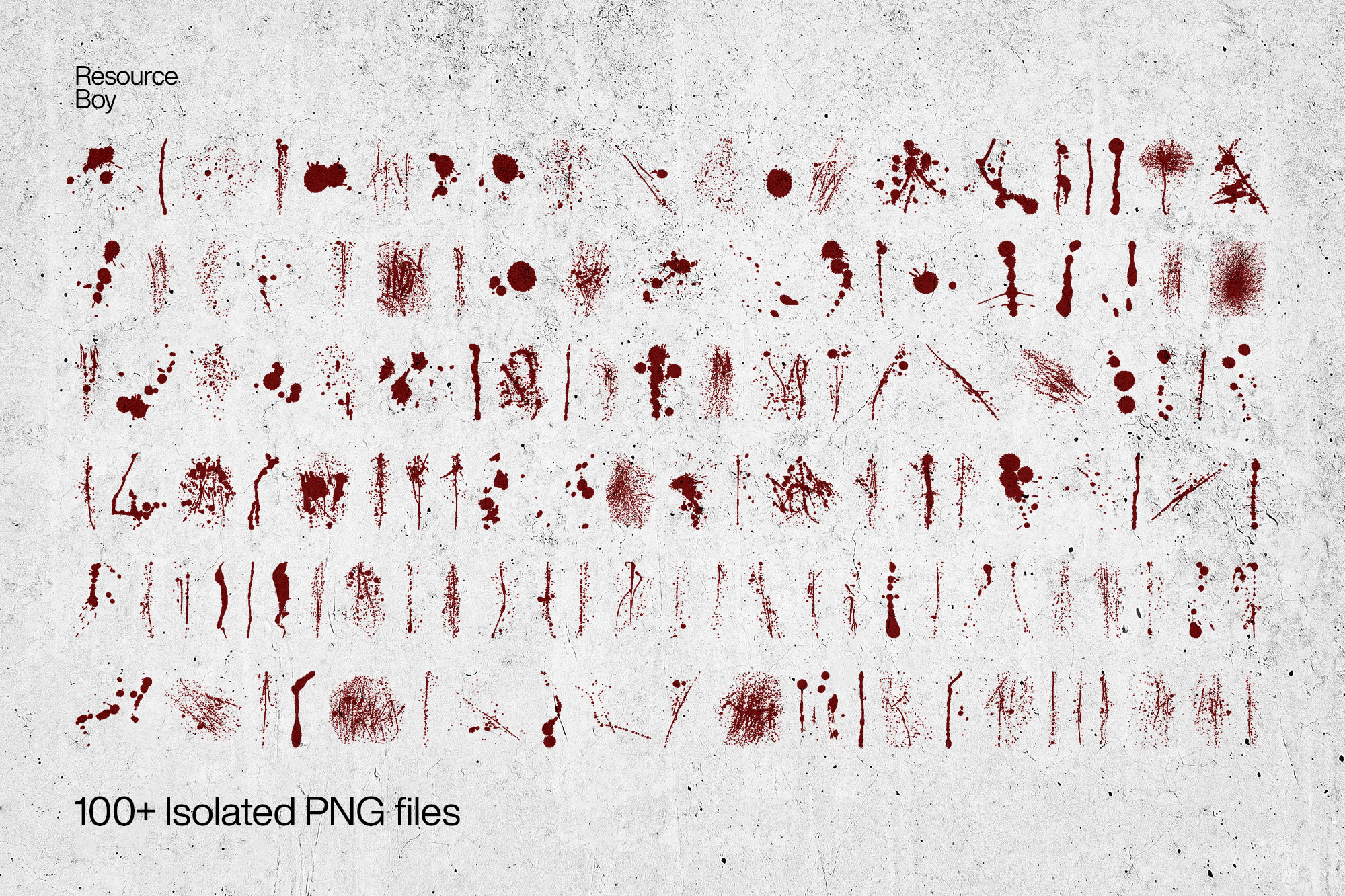
About 100+ Blood Textures
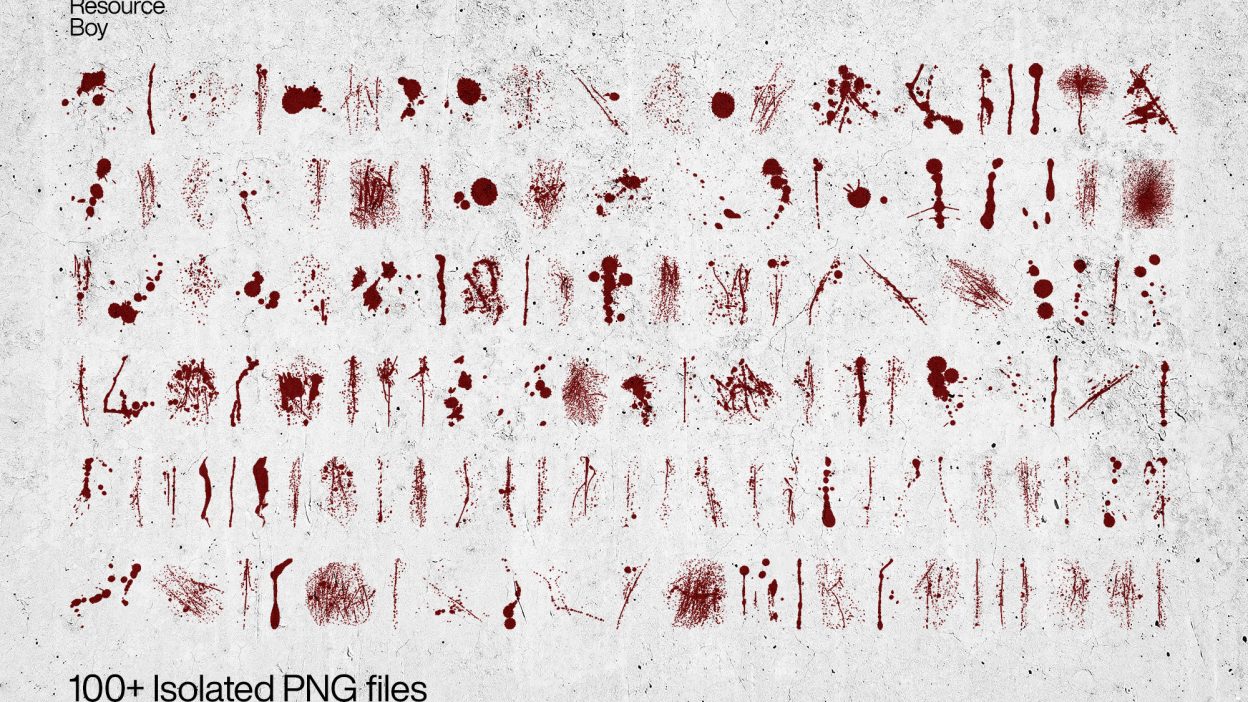
Not every asset deserves a spot in your toolbox. 100+ Blood Textures is one of the few that actually earns it. It’s made for Adobe Photoshop, and the previews show what you can expect.
Imagine a murder scene, blood spilled everywhere, maybe even some high-pitched screaming in the background. That’s what a good blood texture does to your art. It sets the perfect mood and you can’t tell whether that’s all real or not. Does any of that ring a bell? If yes, you must be already familiar with our terrific free blood brush collection. That’s one of those things that once you work with, you can never forget, because there’s only one of it on the entire internet. Nothing else even comes close. Besides that, when you find something so top-level without having to pay anything, it’ll be pretty much stamped on your memory for good. The great news is that this texture pack, just like its previous brush version, is available with a free commercial license for all RB users. We used the latest scanning techniques to capture every last detail, and the whole process was done manually to create something original. You should also consider using our blood fonts to complement the blood textures for an even more impactful design. Sure, Sure it took us a few weeks, but look at the result now. Isn’t it just worth it? Especially when you will mention our socials on your final masterpiece. We can’t wait! Just like you’ll be looking forward to our next free exclusive textures sure enough. Without further ado, download our 100+ blood PNGs with transparent backgrounds and you get to convey the same kind of horror in any of your own designs. It’s just going to look like an actual crime scene with all the blood dripping and blood stains you’ll add here and there in a bit unsettling yet artistic way! If you want to solve this case and find more evidence about who was guilty of creating such a killer resource pack, maybe you’ll find all the clues you need in our free fingerprint textures. The answer is right there!
Quick details: License: Personal & Commercial use. Designer: Resource Boy. Popularity: 20,057 downloads.
What you can do with it
It’s editable, flexible, and pretty forgiving if you like to experiment. Use it for album covers, brand headlines, posters, or any layout where you want a cleaner visual hook.
How to use it in Adobe Photoshop
Download, unzip, load the asset, then tweak until it fits your design.
- Download the ZIP file using the button below.
- Unzip the archive to a clean folder.
- Open Adobe Photoshop and load the included files (brushes via the Brushes panel; textures via Place/Embed; mockups/effects by editing Smart Objects).
- Apply it to your text or layer, then adjust size and position.
- Fine-tune opacity, blending mode, and color until the result feels balanced.
Practical tips
- Duplicate your layer before applying anything.
- Lower opacity first, then adjust contrast.
- Use Smart Objects when possible for clean scaling.
- Try a different blending mode before you give up on the look.
- Test it on both light and dark backgrounds.
If something looks “too much,” small changes usually fix it. Opacity, blending mode, and a soft mask solve most issues.
Preview images
These previews are included with the original post so you can judge edges, texture strength, and readability.
FAQ
Can I use it in client work?
The listed license is Personal & Commercial use. For important jobs, read the license text inside the download.
Will it work on older versions?
Most assets like this work fine on recent versions of Adobe Photoshop. If you’re on an older build, test it in a duplicate file first.
Download 100+ Blood Textures
Use the download button below. If your download is large, give it a minute to complete before extracting.